Karishava CRM
A custom hospital CRM that keeps every patient case in one record, from first contact to billing.
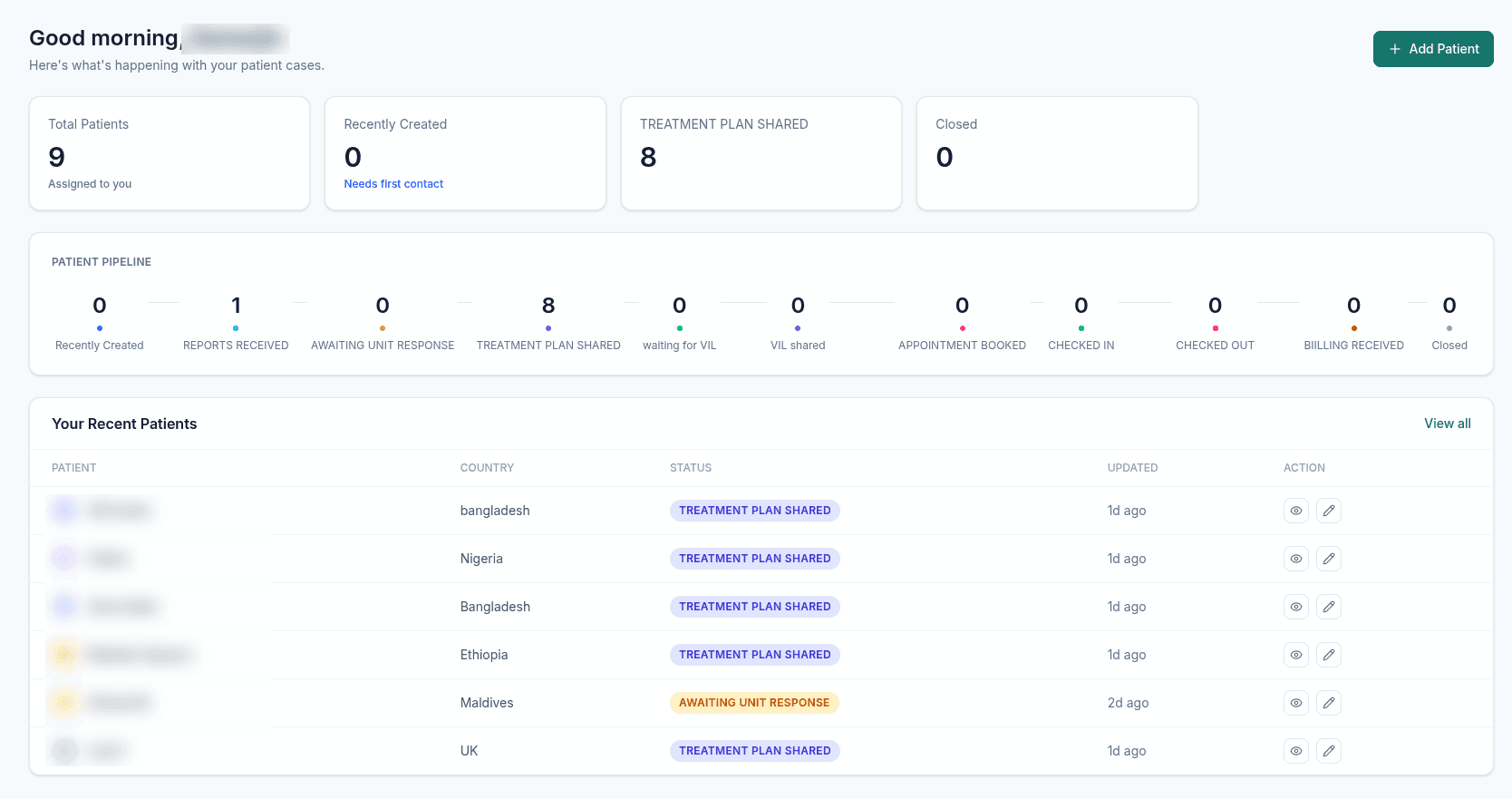
Karishava's team coordinates patients referred from many countries. We built them a CRM around that workflow. Every patient's details, status, documents, receipts and history live on one profile, and admins and sales staff each get a view that fits their role.
- Industry
- Healthcare operations
- What we did
- Custom CRM design & build
- Access
- Internal tool, role-based
- Year
- 2026
Patient information was spread across too many places.
Several people handle different parts of each patient's journey. Details, reports, receipts, past conversations and current status lived in separate records, so answering “where is this patient now?” took time. Each person also needed to see only the parts relevant to their role.
Scattered records
Patient details, documents and history kept in different sources.
Unclear status
No single place to see where each patient is in the process.
Different roles
Admins and sales staff need different access and permissions.
Loose paperwork
Documents and receipts had to be matched to the right patient by hand.
One profile per patient, one pipeline for the team.
Every patient gets a dedicated profile that acts as the single source of truth: their details, current stage, documents, receipts and a full history of what has happened so far. Around those profiles, the CRM gives the team a live view of the whole patient pipeline.
Built around how Karishava's team actually works, not a generic CRM they would have to bend their process to fit.
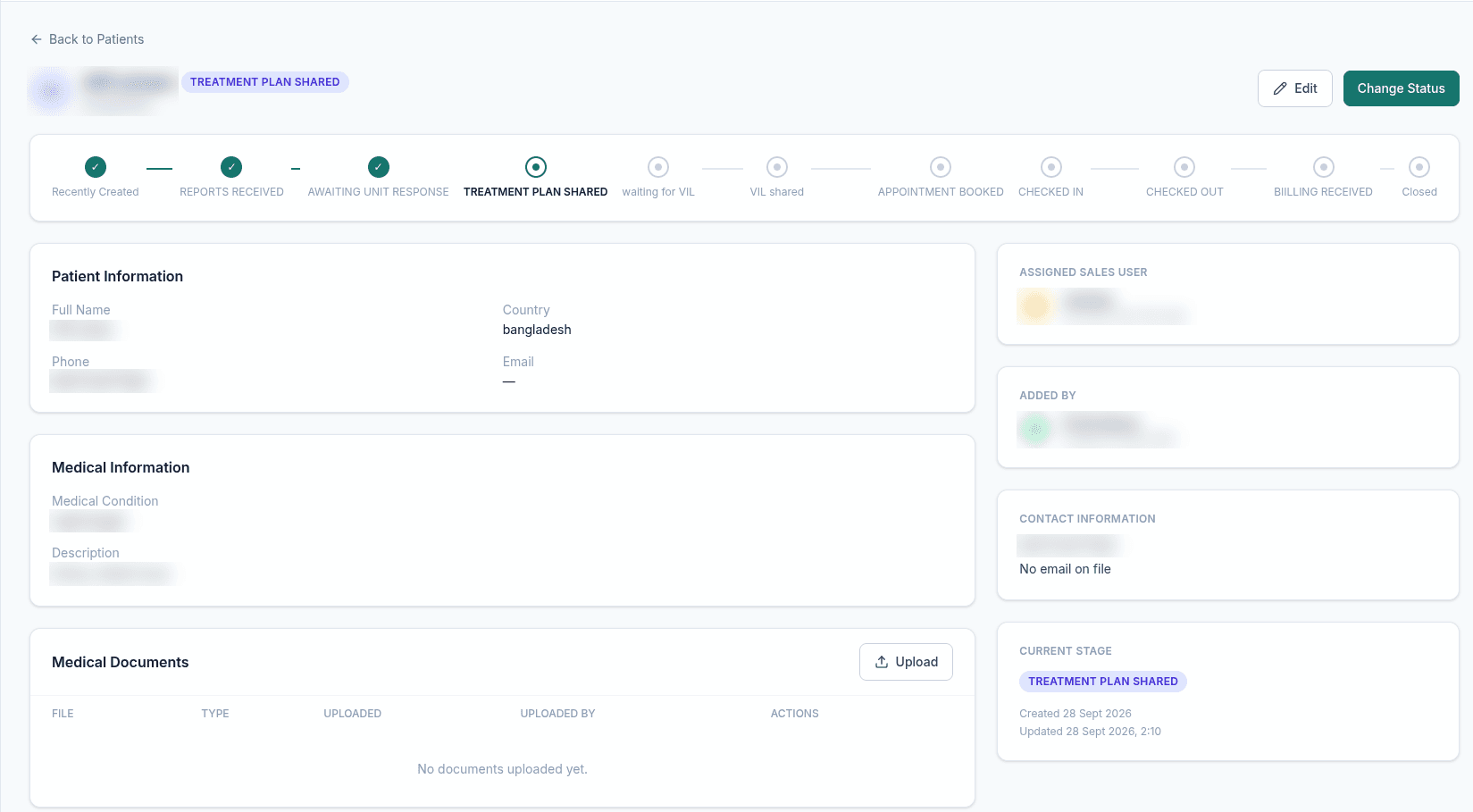
Every case moves through 11 clear stages.
Staff can see at a glance how many patients are at each stage, and open any case to move it forward.
- Referral: case created, medical reports received
- Hospital: awaiting unit response, treatment plan shared
- Travel: waiting for VIL, VIL shared, appointment booked
- Care: patient checked in, then checked out
- Close-out: billing received, case closed
The right view for admins and for sales.
Admin dashboard
Full view of patients, sales activity, documents and receipts, plus user and access management.
Sales workspace
A focused view of assigned patients: update status, review history, keep records current.
Role-based access
Sensitive admin functions stay restricted, and new roles can be added as the team grows.
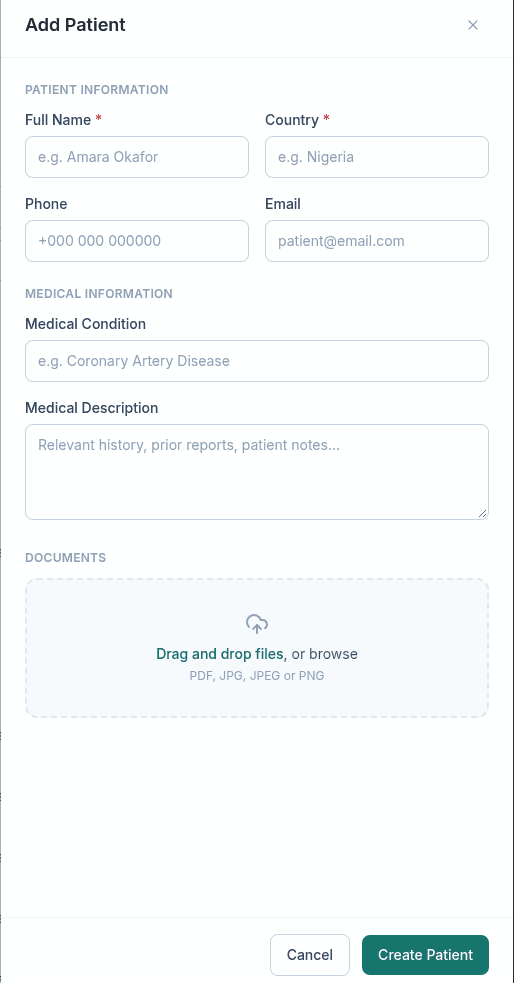
Paperwork stays attached to the patient.
Medical reports, documents and payment receipts are stored against the patient they belong to, next to that patient's history of updates and status changes. Anyone picking up a case sees everything that happened before, instead of starting from scratch.
What we delivered
Patient profiles
Details, status, documents, receipts and history on one page.
Status tracking
An 11-stage pipeline showing where every case stands.
Admin & sales dashboards
Separate workspaces shaped around each role.
Document management
Files uploaded and organised per patient.
Receipt management
Payment records linked to the right patient.
Search & records
Quick access to any patient and their records.
From scattered records to one connected system.
Karishava's team now finds patient information, status, documents, receipts and history in one place. Admins keep oversight and control, and sales staff have a clear workflow for their own cases. The architecture keeps presentation, business logic, access control and data separate, so new modules and workflows can be added without a rebuild.